
How to Make Sure You Are Getting Team Emails
Here we’ll share some quick instructions for making sure you are getting your child’s Centaurus FC team emails in your primary gmail inbox.
We share a lot of vital team info on email. Take a few minutes to follow these steps, to stay in the loop!
STEP 1: ADD CENTAURUS EMAILS TO YOUR CONTACT LIST
Add these two email addresses to your gmail contacts list:
walter.altamirano@jouksoccer.com
jouk.soccer@gmail.com
STEP 2: ADD A FILTER
Here are instructions for doing this using a computer (not a phone)
1) Search in your gmail inbox for an email from walter.altamirano@jouksoccer.com (It’s probably in your promotions folder.)
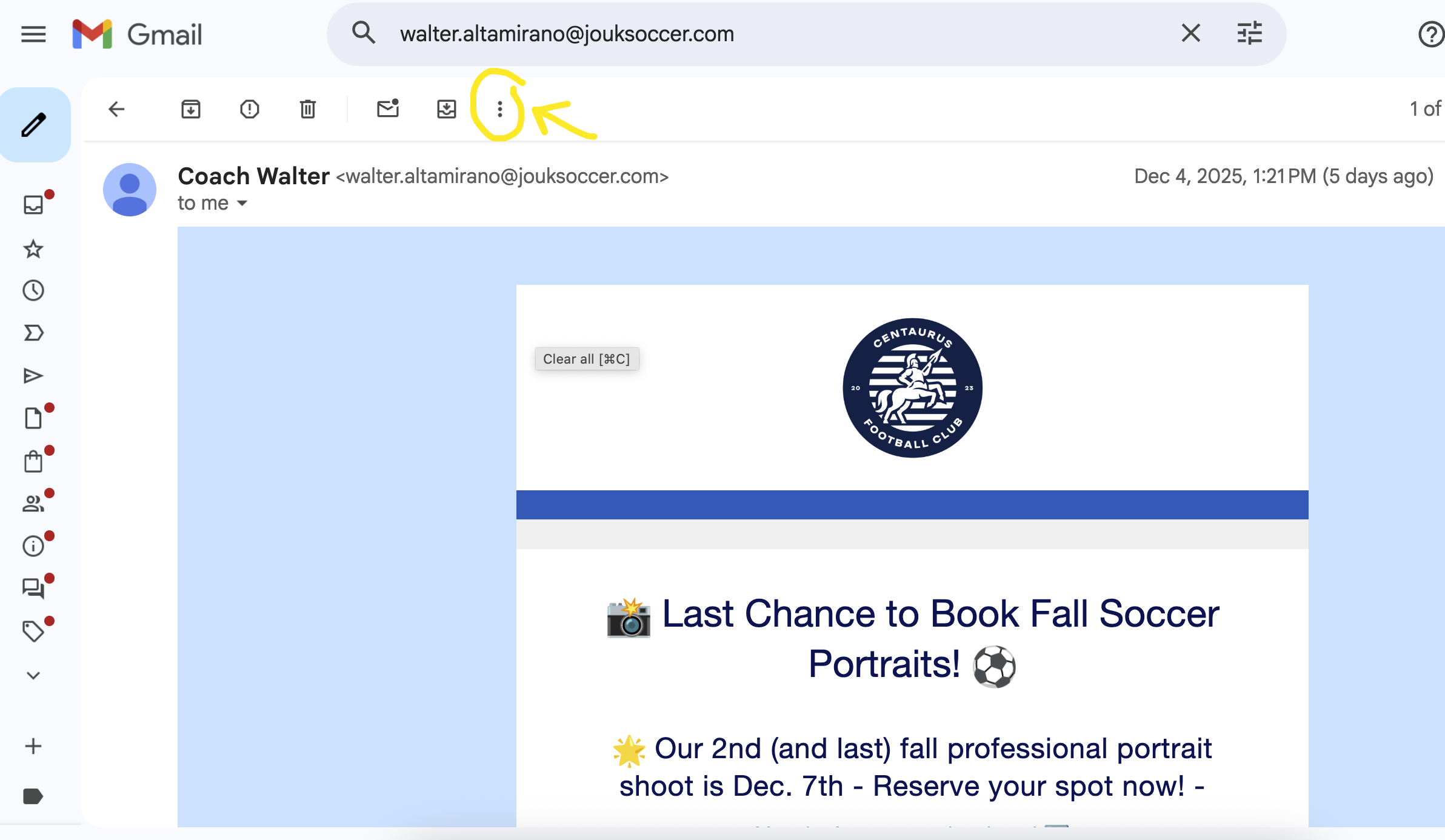
2) Click on the three vertical dots like this ⠇at the top of your gmail screen (➡️)
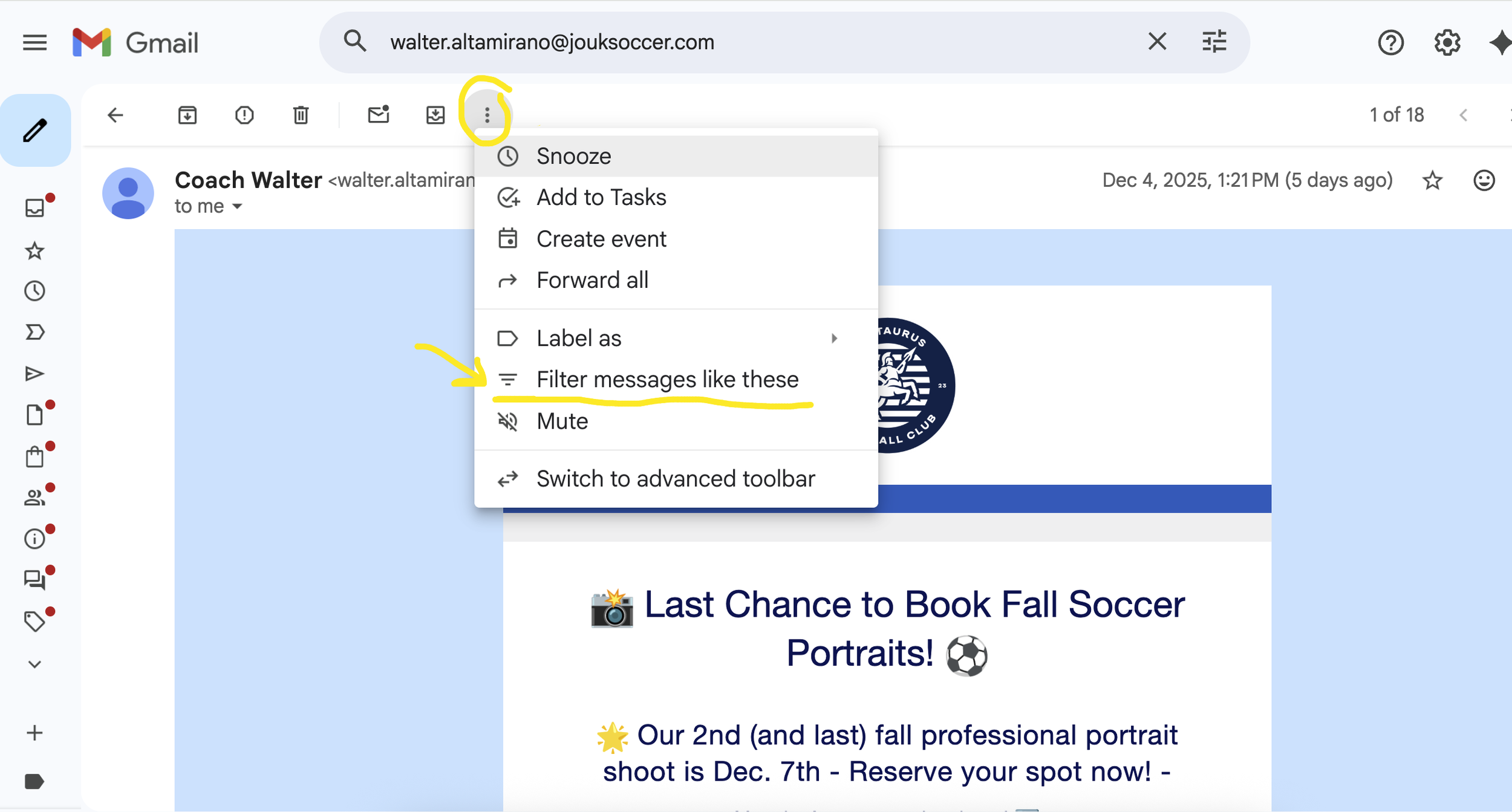
3) Choose “Filter messages like these” as in this image ➡️
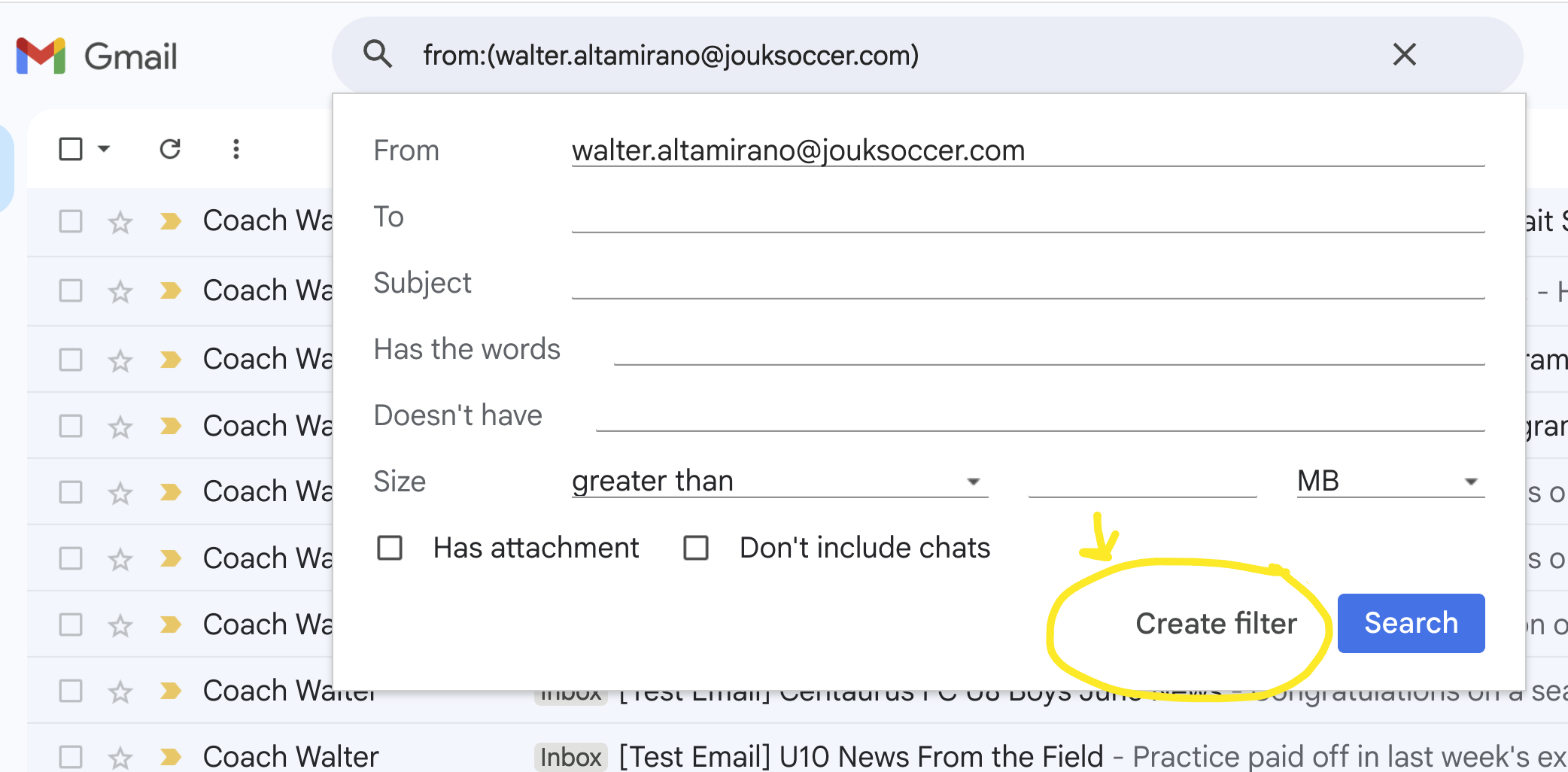
4) Click on “Create Filter” as in this image ➡️
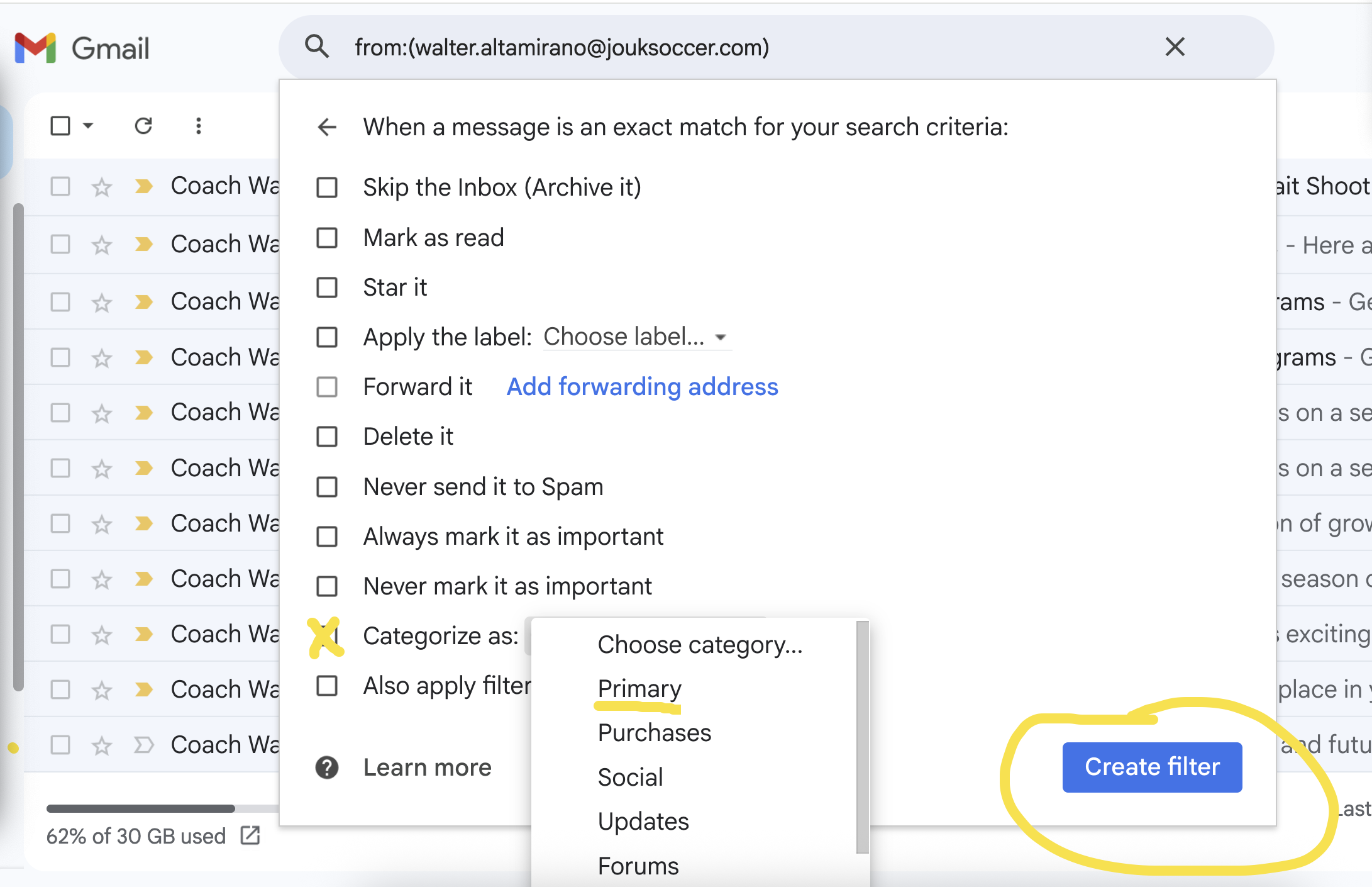
5) Choose “Categorize As” and “Primary”, then click on “Create Filter” as in this image ➡️
That’s all!
Thanks so much for making sure you’ll get all your team info in your primary inbox.